Gemini AI Terminal Assistant (BYOK)
Shellit integrates an interactive AI terminal copilot powered by Google Gemini, designed to assist engineers with complex shell commands, regex debugging, and infrastructure scripts without ever leaving your terminal workflow.
Bring Your Own Key (BYOK) Philosophy
We believe developers should never be forced to pay monthly markups or platform subscriptions just to proxy queries to foundational LLMs. You can obtain a free API key from Google AI Studio and use it directly.
- Navigate to Settings $\rightarrow$ Artificial Intelligence.
- Paste your Gemini API key (
AIzaSy...) and select your preferred default model:gemini-2.5-flash— Ultra-fast latency for everyday shell commands;gemini-2.5-pro— Deep reasoning for multi-step bash scripts, awk, and Docker setups;gemini-3.1-flash-lite— Lightweight and token-efficient.
- Your API key is immediately encrypted inside your local vault using your Master Password.
Workflow & Natural Language Querying
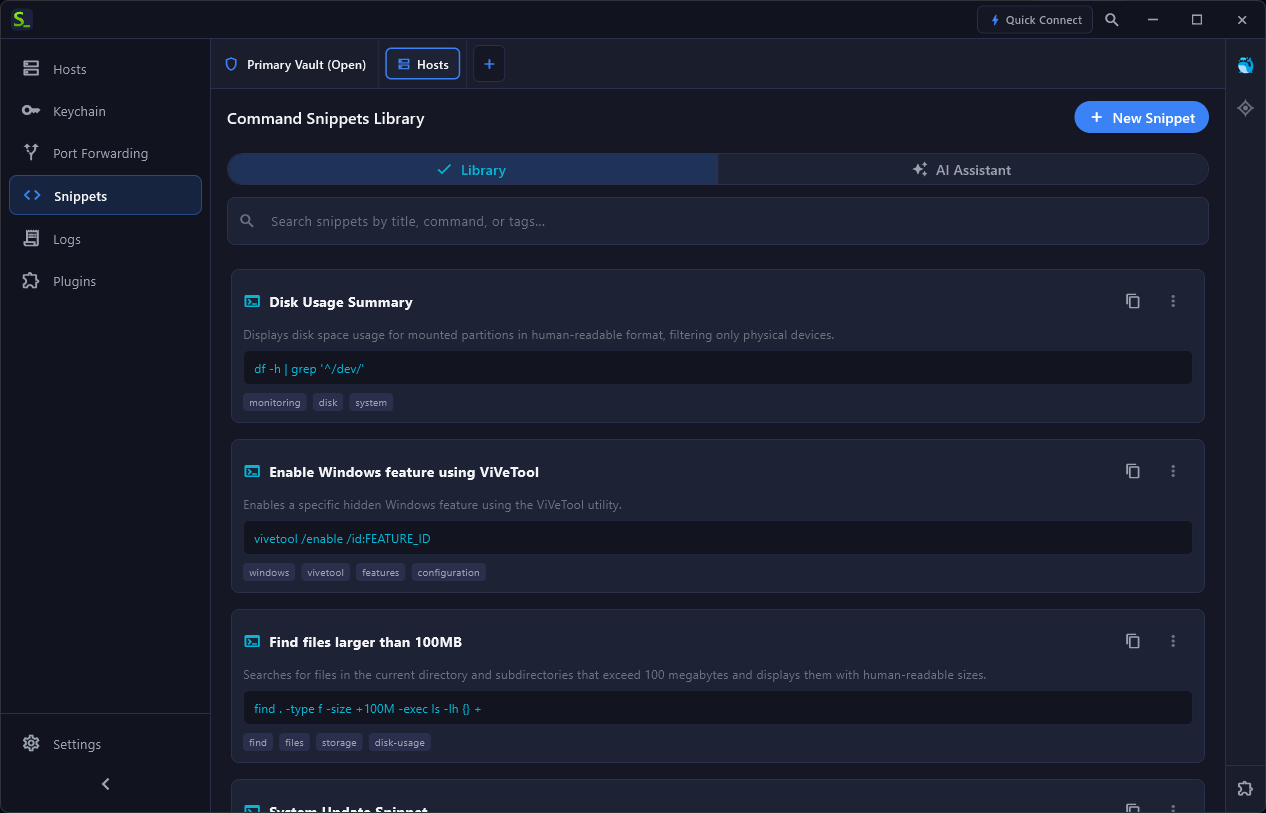
Open the Snippets panel and switch to the “AI Assistant” tab. Type your objective in plain conversational language:
- “Find all .log files older than 7 days in /var/log and archive them to compressed tar.gz”
- “Show tcpdump syntax to capture DNS queries on interface eth0 excluding 127.0.0.1”
- “Explain why this awk script is throwing a syntax error on column 3”

The assistant generates the exact command line with syntax highlighting, flags breakdown, and safety notices. Clicking “Insert into Active Terminal” injects the command directly into your active PTY prompt.
Command Snippets Library
All generated or manual commands can be saved into your searchable Snippets Library, categorized with tags (#docker, #k8s, #maintenance, #windows) and executed with a single click or keyboard shortcut: